· 4 min read
How I automated my free Octopus Energy coffee using their internal GraphQL API

Every week, Octopus Energy gives Octoplus members a free coffee from Caffè Nero or Greggs.
The catch: codes are released in daily batches before the coffee shops open, and are gone within hours minutes. I kept missing them. So I automated it.
Here’s how.
The problem
The Octopus app shows a “Claim” button. You tap it, you get a QR code, you get coffee. Very simple unless you’re asleep when the codes drop, which is most people at the time they’re being released.
A quick search on Twitter confirmed I wasn’t alone:
Pretty much no Nero vouchers this week then eh @OctopusEnergy? Even 6am Wednesday, dry as the Sahara… Cmon bump up the budget for customer satisfaction
— Brad (@BradMcA) February 25, 2026
Octopus’s own response: “They drop before the coffee shops open and do get snapped up quickly — hopefully you’ll have more luck tomorrow morning.”
Someone else summed it up perfectly: “I’ve trained myself to look at my phone the moment my alarm goes off and they’re always all gone.”
The codes are released daily throughout the week but expire each Sunday night, so there are multiple chances to grab your one weekly code, but the early batches go fast. I started digging.
Finding the API
Opening Chrome DevTools on the Octopus rewards dashboard, I filtered network requests by graphql. The app talks to two endpoints:
https://api.octopus.energy/v1/graphql/— the public API, used for authenticationhttps://api.backend.octopus.energy/v1/graphql/— an internal endpoint the web app uses for everything else
The offer availability query looks like this:
query CheckOffers($accountNumber: String!) {
  octoplusOfferGroups(accountNumber: $accountNumber, first: 20) {
    edges {
      node {
        octoplusOffers {
          slug
          claimAbility {
            canClaimOffer
            cannotClaimReason
          }
        }
      }
    }
  }
}
When codes are available, canClaimOffer flips to true. When they’re gone: OUT_OF_STOCK. When you’ve already claimed one this week: MAX_CLAIMS_PER_PERIOD_REACHED.
Authentication
Octopus uses their own auth system via their Kraken platform. Getting a token is a standard GraphQL mutation against the public endpoint:
mutation ObtainKrakenToken($input: ObtainJSONWebTokenInput!) {
  obtainKrakenToken(input: $input) {
    token
    refreshToken
    refreshExpiresIn
  }
}
Tokens last 60 minutes, refresh tokens last 7 days. The script handles rotation automatically, refreshing every 50 minutes and falling back to a full re-login if needed.
Claiming the reward
Once canClaimOffer is true, a single mutation does the job:
mutation ClaimOctoplusReward($accountNumber: String!, $offerSlug: String!) {
  claimOctoplusReward(accountNumber: $accountNumber, offerSlug: $offerSlug) {
    rewardId
  }
}
Where offerSlug is "caffe-nero" or "greggs". The reward appears in the Octopus app immediately with a scannable QR code, no extra steps needed.
Note: this mutation is marked as deprecated as of March 2026 and scheduled for removal in August 2026. The web app still uses it for now.
The script
A straightforward Python script ties it all together:
- Read credentials from a
.envfile - Login via
ObtainKrakenTokenand cache the token - Sleep until midnight (when new daily batches drop)
- Poll every 60 seconds with ±15s random jitter to avoid being metronomic
- Claim the moment stock appears for
caffe-neroorgreggs - Send a push notification via ntfy.sh
- Exit cleanly
For notifications I used ntfy.sh. No account needed for public topics, just a simple POST request:
requests.post(
    "https://ntfy.sh/your-topic",
    headers={"Title": "Your coffee is ready!", "Priority": "high"},
    data="Open the Octopus app for your barcode.".encode("utf-8"),
)
You wake up to a notification, open the Octopus app, and your QR code is ready.
Deployment
Since the script sleeps 99% of the time, it simply runs on one of my VPS with a light cron job.
# Set up
mkdir octobarista && cd octobarista
python -m venv venv && source venv/bin/activate
pip install requests python-dotenv

# Credentials
nano .env
# OCTOPUS_EMAIL=you@email.com
# OCTOPUS_PASSWORD=yourpassword
# OCTOPUS_ACCOUNT_ID=youraccount

# Run in tmux so I can check it from my iPhone with the excellent Echo SSH app.
tmux new -s morningcoffee
python octocoffee.py
Then a weekly cron job runs automatically every Monday at midnight:
crontab -e
# 0 0 * * 1 cd ~/octobarista && venv/bin/python octocoffee.py >> octopus.log 2>&1
Results
First successful run: claimed at 05:02am, after 5 hours of out-of-stock polling:
[04:59:56] ⏳ caffe-nero: out of stock...
[05:00:50] ⏳ caffe-nero: out of stock...
[05:01:58] ⏳ caffe-nero: out of stock...
[05:02:45] Refreshing token...
[05:02:45] Token refreshed.
[05:02:45] 🎯 caffe-nero is AVAILABLE — claiming...
[05:02:46] ✅ Claimed caffe-nero! Reward ID: 20461362
[05:02:46] ☕ Your coffee is ready!
[05:02:46] 🎉 Done!
A push notification gets on my phone instantly. The reward was ready in my Octopus app. Scanned it at my local Nero that morning and it worked perfectly.
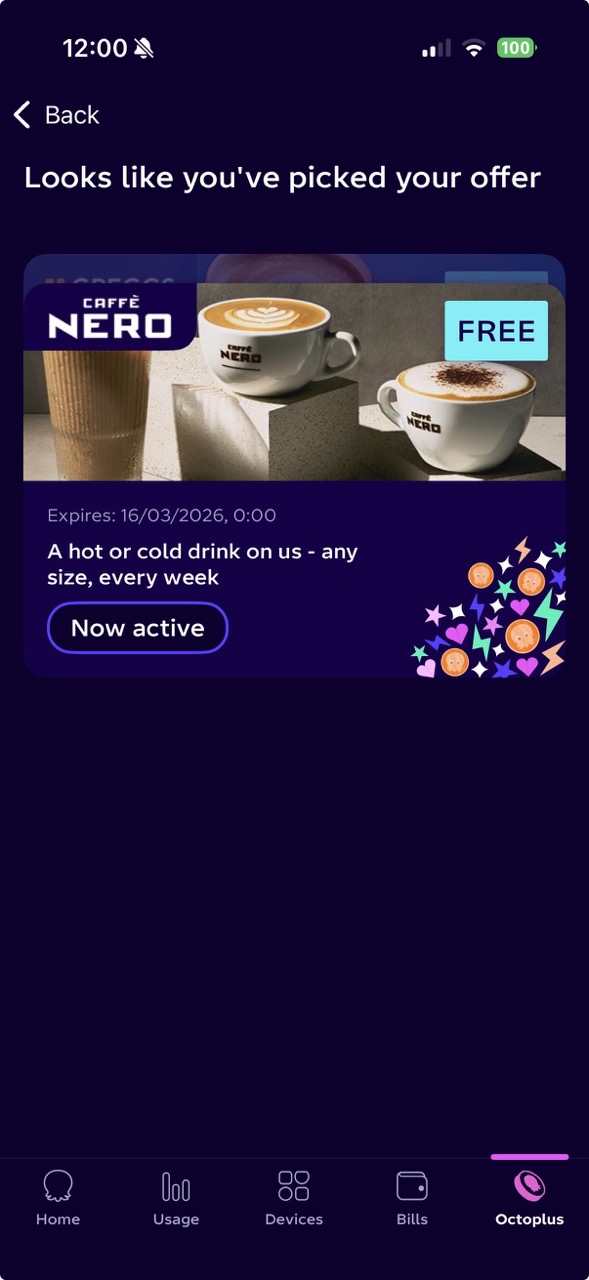
The script now runs automatically every Monday night. Free coffee, zero effort.
What this says about API design
Octopus’s Kraken platform is genuinely well built, with a clean GraphQL schema.
The bigger issue isn’t that the perk is limited; that’s expected. It’s how allocation timing works in practice. Even with “subject to availability,” releasing a fixed batch before most people are awake naturally favours early risers or… automation.
To their credit, Octopus moved from weekly to daily drops after feedback, which improves chances across the week. But when demand is high and supply is fixed, timing still decides who wins.
Until then, the bots still have an edge.
I’m Pierre, an AI product builder based in London. Find me on X or at pierre@frontbot.com